-
Uygulamaları
Windows için VPN
- Premium
-
VPN Konumları
- Yardım
- Kayıt
- Giriş
VPN for Windows
Secure your connection on Windows with the Browsec app. Download and connect in a few clicks.
The app is available exclusively with a Browsec Premium subscription.
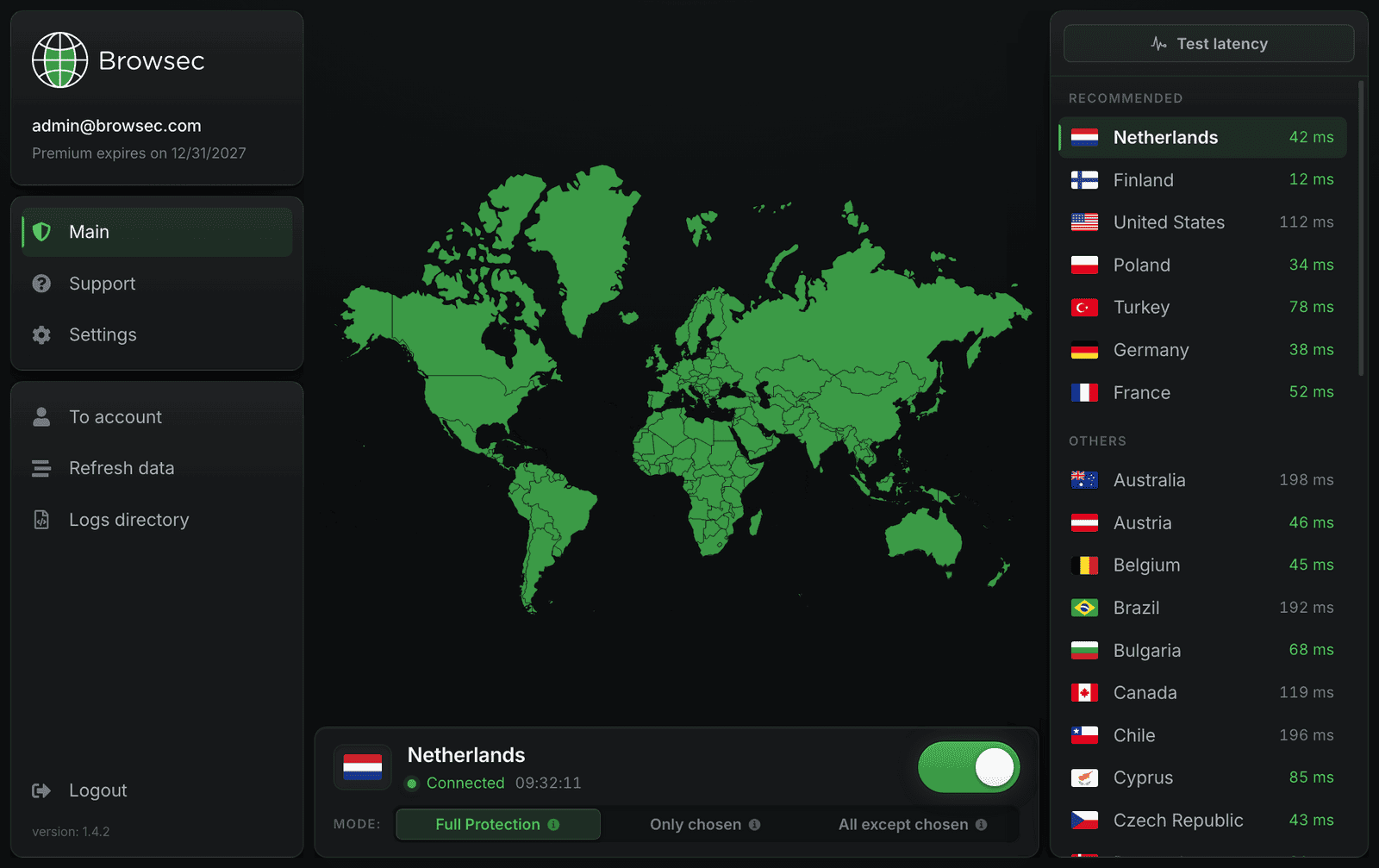
How do I install Browsec VPN on Windows?
Four steps from the order page to a protected PC:
-
01
Get Premium
The desktop app is part of Browsec Premium. Buy the subscription first, the installer itself is free.
-
02
Download the installer
Pick the .exe for Windows 10 or 11 (x64) from the cards above. If GitHub is blocked in your country, use a mirror.
-
03
Run the installer
Open the downloaded file and go through the setup wizard. It takes about a minute.
-
04
Sign in and connect
Log in with your Browsec account, pick a location and click Connect.
Privacy made easy
Maximum protection
Your ISP and anyone on the same network see only encrypted traffic. Banking, passwords and logins from any program on the PC stay hidden.
Total anonymity
Sites see the address of the Browsec server instead of your real IP. Streaming platforms, games and music services open as if you were in the country you picked.
Under your control
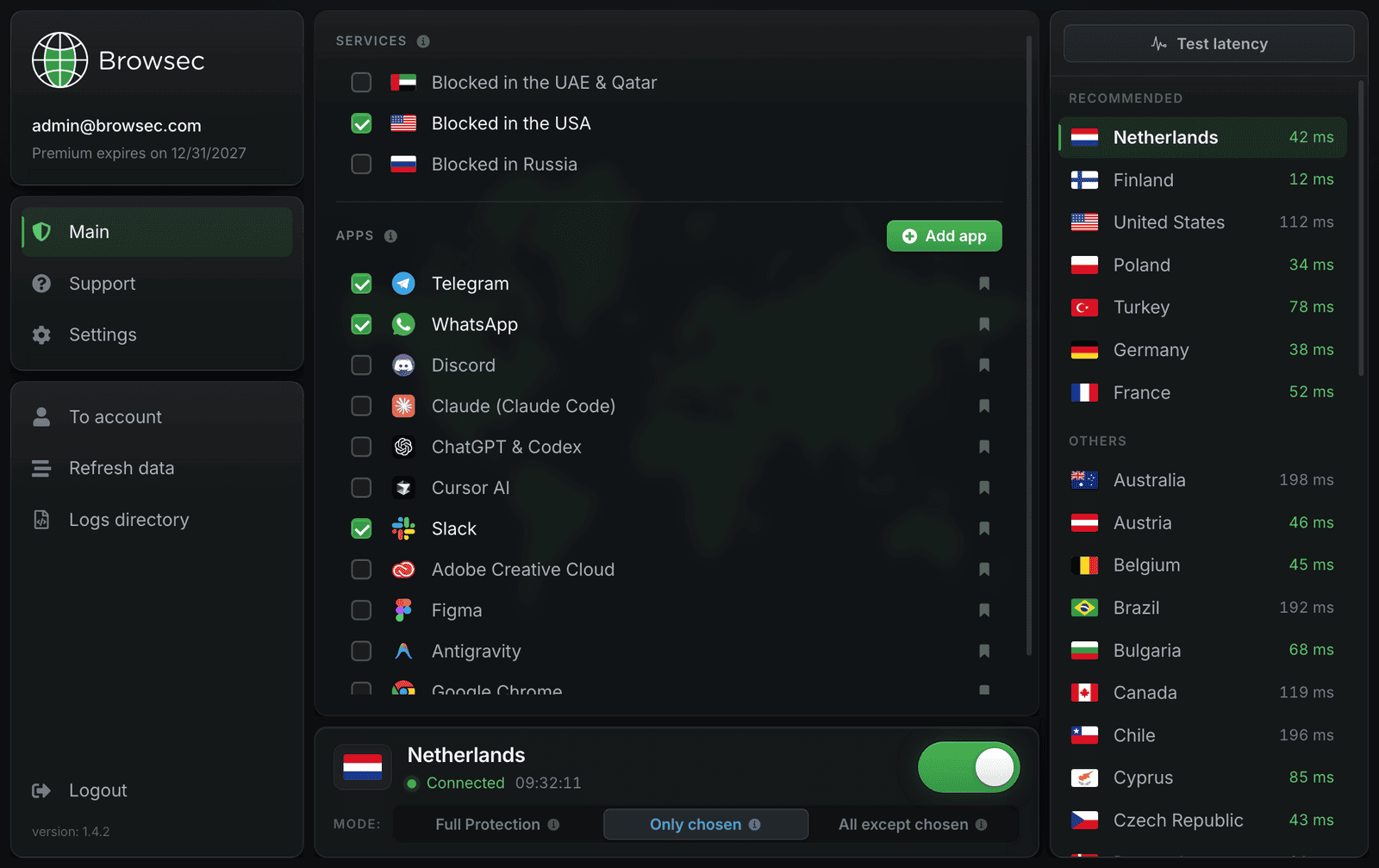
Pick a location from a list with live ping. Smart Rules let you send only chosen apps and services through the VPN, or everything except the ones you exclude.
Security guarantee
Steadfast encryption
The app protects the whole Windows connection, so public Wi-Fi in a cafe or airport is as safe as your home network. A hacker on the same hotspot gets nothing readable.
Reliable connection
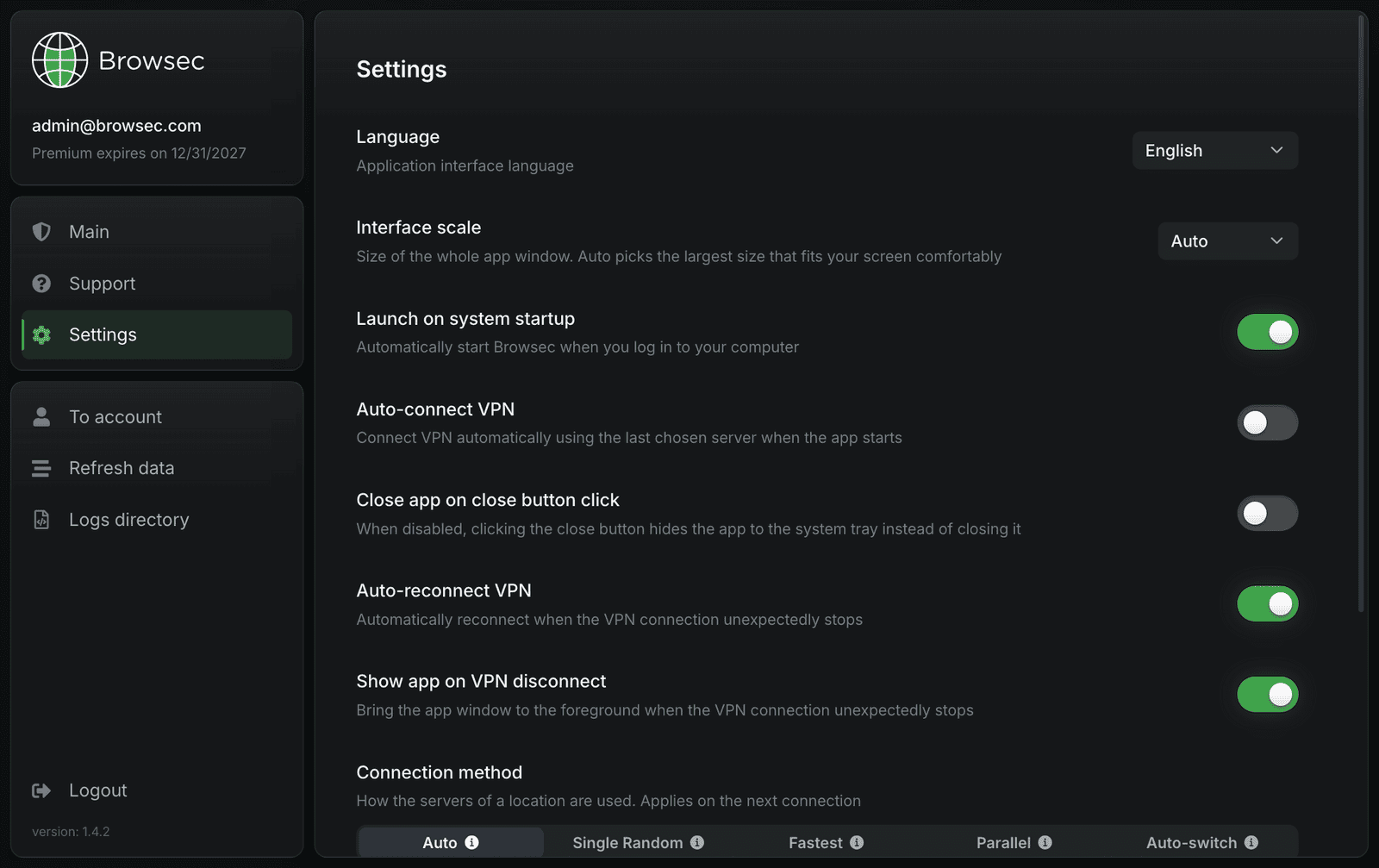
If the connection drops, the app reconnects on its own. It can also start with Windows and connect to your last server before you open a browser.
The best servers
Fast servers in every location, so pages and videos load at the speed your provider gives you.
What you get with Browsec VPN for Windows
Worldwide connection
46 server locations to choose from. Pick one and browse as if you were there.
System-wide encryption
A browser extension covers one browser. The Windows app covers every program on the PC, including games and messengers.
One-click protection
Connect and disconnect with a single click. The rest of the time the app sits in the tray and stays out of the way.
Three protection modes
Full Protection sends everything through the VPN. Only chosen protects just the apps and services you tick, say a messenger and a streaming site. All except chosen is the reverse: everything is protected apart from what you leave out, like your bank.
Browsec VPN for Windows in people's eyes
PowerUser_88Finally a VPN that doesn't tank my internet speed. Works perfectly on Windows 11 and the interface is super clean.
Marcus T.I needed something to protect my whole PC, not just the browser. Browsec Desktop does exactly that and it's fast.
Lena K.Setup took less than two minutes. Connected immediately and my IP was hidden. Exactly what I needed.
GamerzVPNUsing it for gaming and streaming. Zero lag, stable connection. Best VPN app I've tried on Windows.
Get started with Browsec VPN for Windows
7-day money-back guarantee